
Android Application / Network Diagnostics and Local Tools
TweakKit
I built TweakKit as an offline-first Android toolkit for transparent network diagnostics, compatible system shortcuts, and local Markdown, SVG, and JSON workspaces.
- Category
- Android Application / Network Diagnostics and Local Tools
- Audience
- Android users who need clear network diagnostics, compatible system shortcuts, and local technical-document tools.
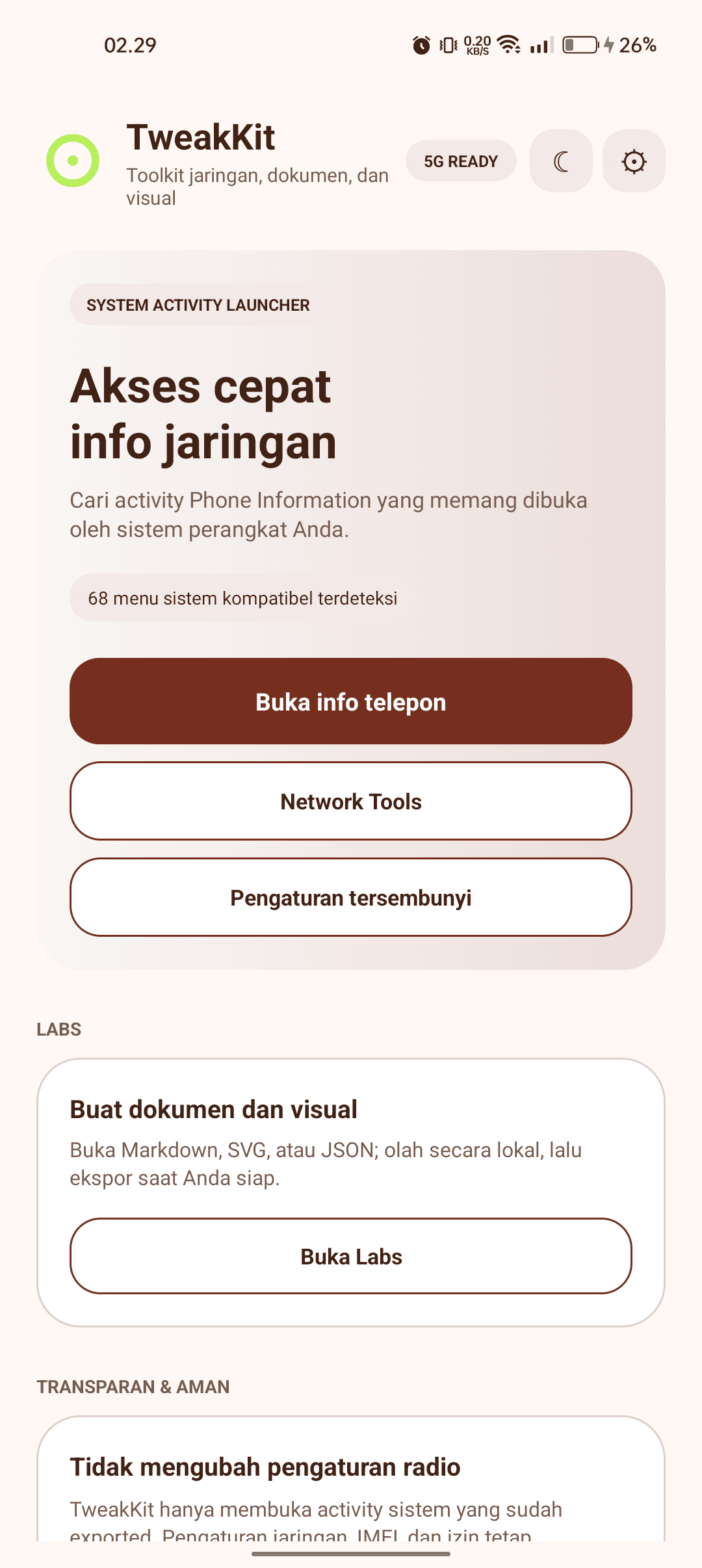
Project overview
The idea and focus
Problem framing
I wanted network and settings utilities to show what an Android device genuinely exposes, while keeping technical-document work local by default.
Process / sequence
How I kept diagnostics transparent and local
Safe starting point
I start from a clear home surface that separates network access, system shortcuts, local labs, and the app's safety boundaries.
Local network diagnostics
I bring connection state, bandwidth, local addresses, DNS, gateway, and interface details together without automatically performing a public network lookup.
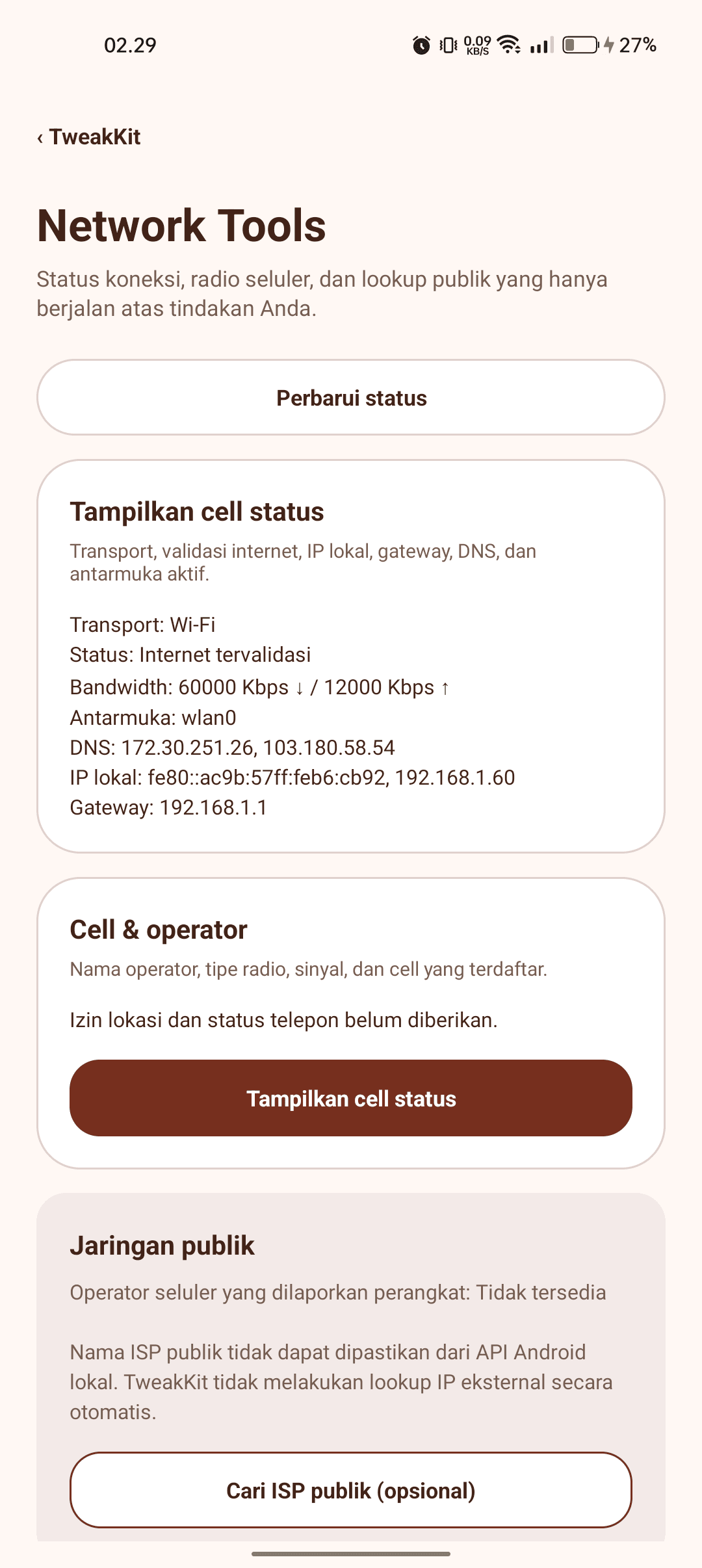
TweakKitNetwork diagnostics / local status and optional public lookupSelected visual work Compatibility-aware shortcuts
I resolve activities the current ROM actually exposes, distinguish what can be opened from what cannot, and avoid treating unsupported settings as a bypass problem.
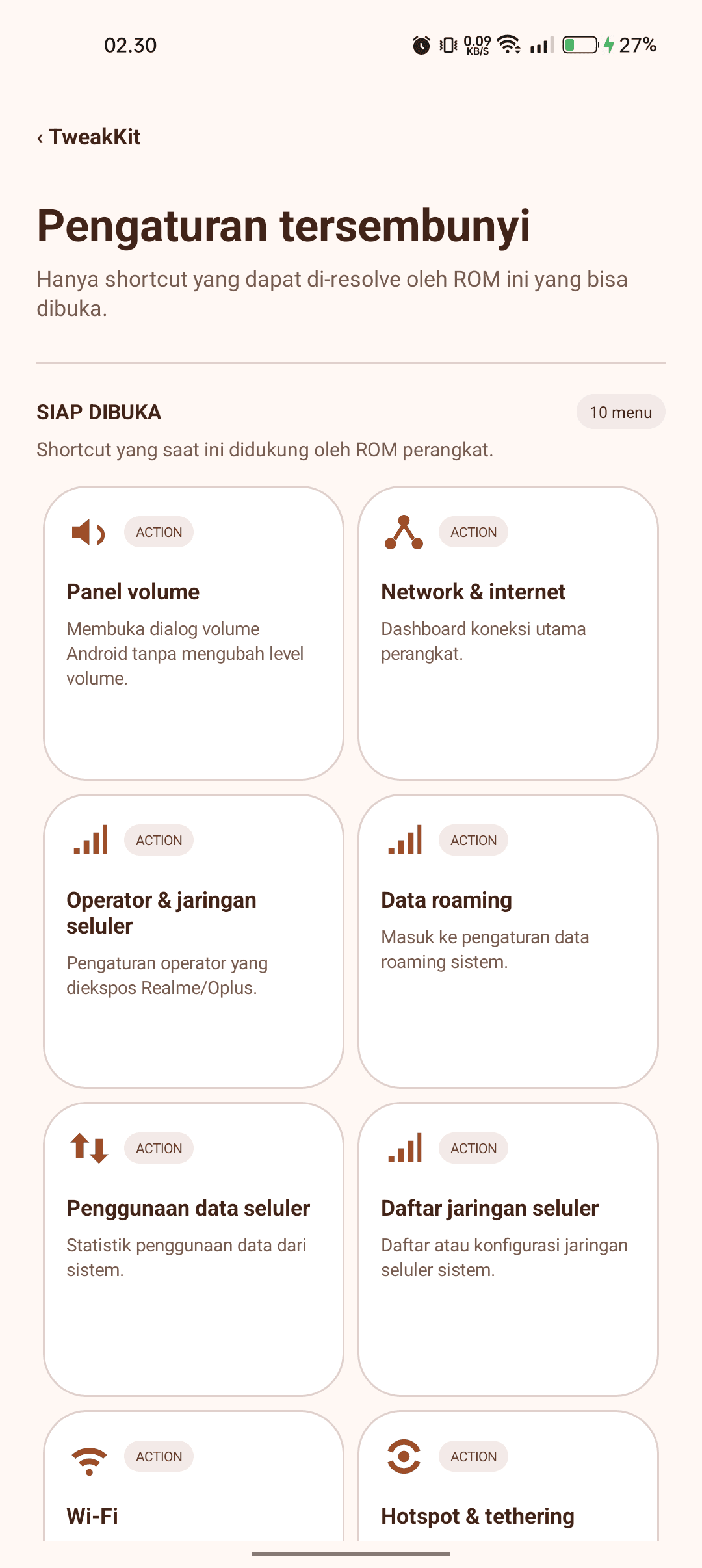
TweakKitSystem settings / compatibility-aware shortcut listSelected visual work Markdown Studio
I provide editing, preview, formatting, export, and sharing tools for local Markdown files, keeping the draft on device until the user chooses an action.
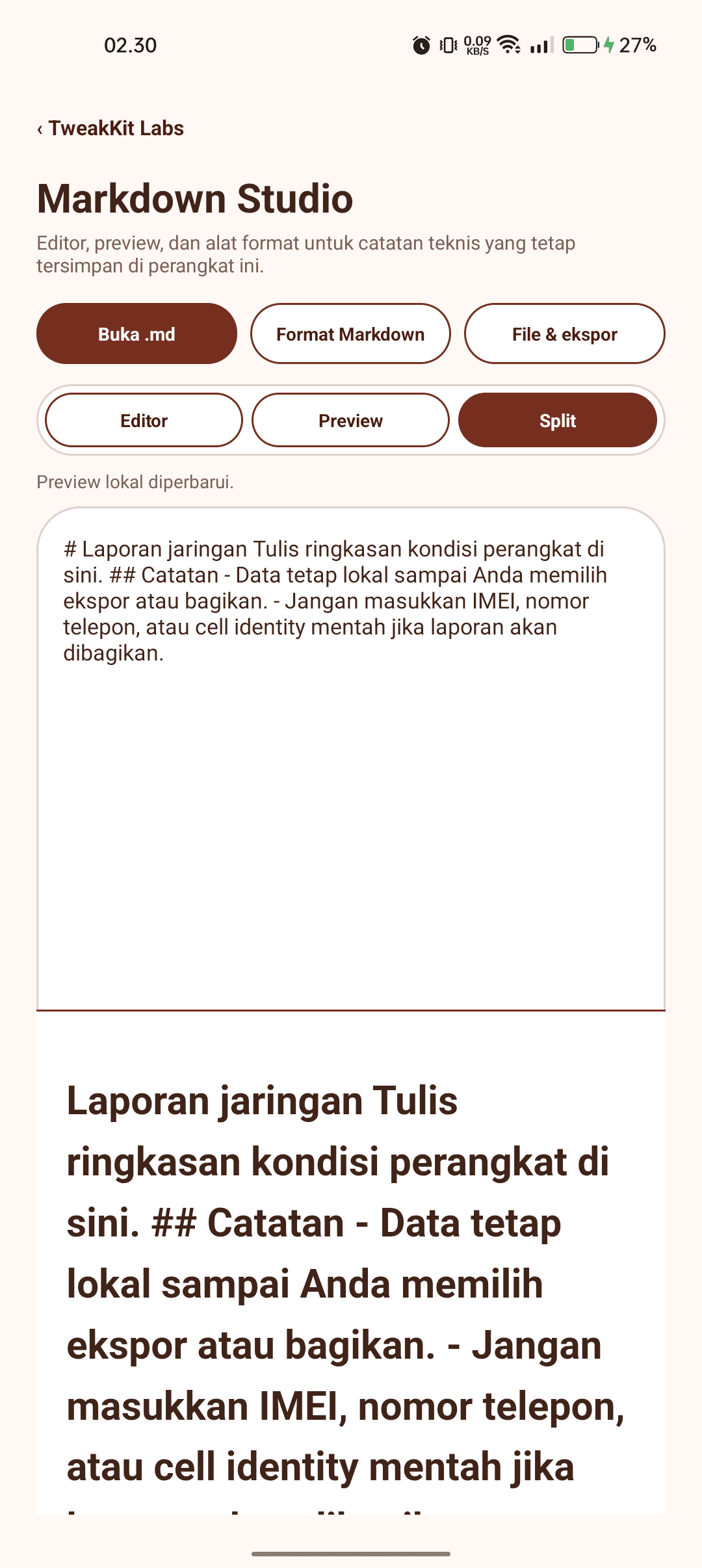
TweakKitLocal document tool / Markdown StudioSelected visual work SVG Lab
I frame SVG work as a local preview and editing space with zoom, export, and blocked script or network access inside the preview.
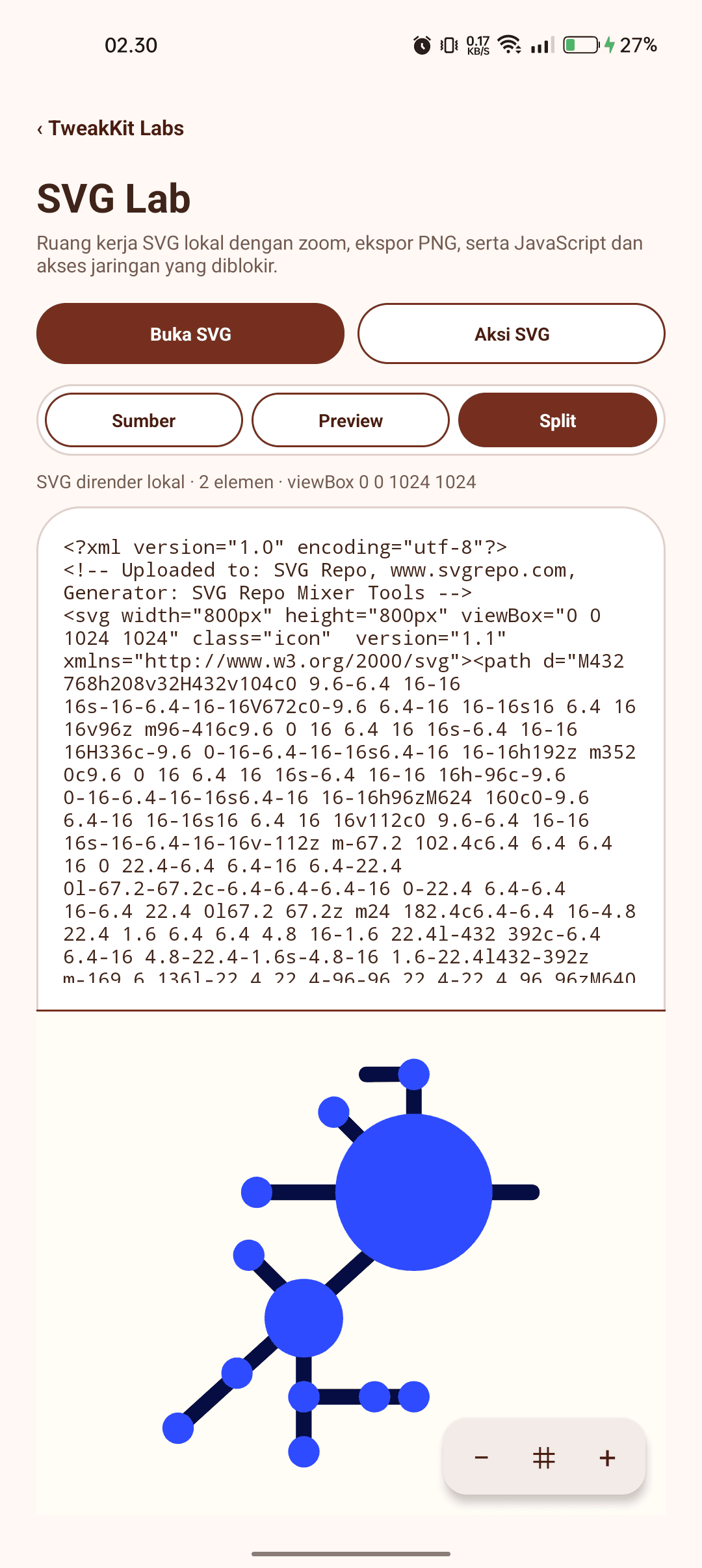
TweakKitLocal document tool / SVG LabSelected visual work JSON Lab
I make source inspection, validation, formatting, minifying, search, and export readable without sending a JSON document away from the device.
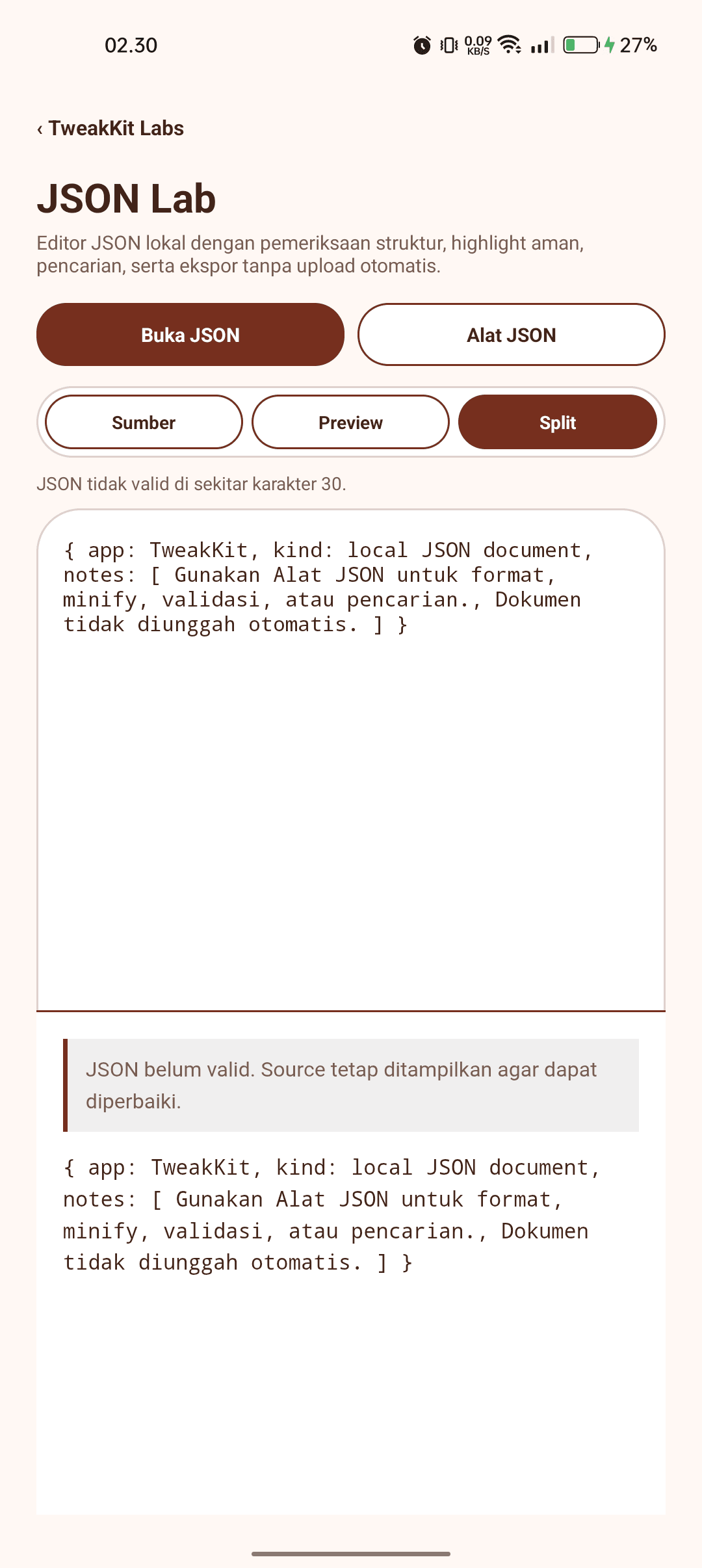
TweakKitLocal document tool / JSON LabSelected visual work Personal settings
I keep display mode and the 64 available accent variations as local preferences, while the TweakKit mark stays consistent across light and dark themes.
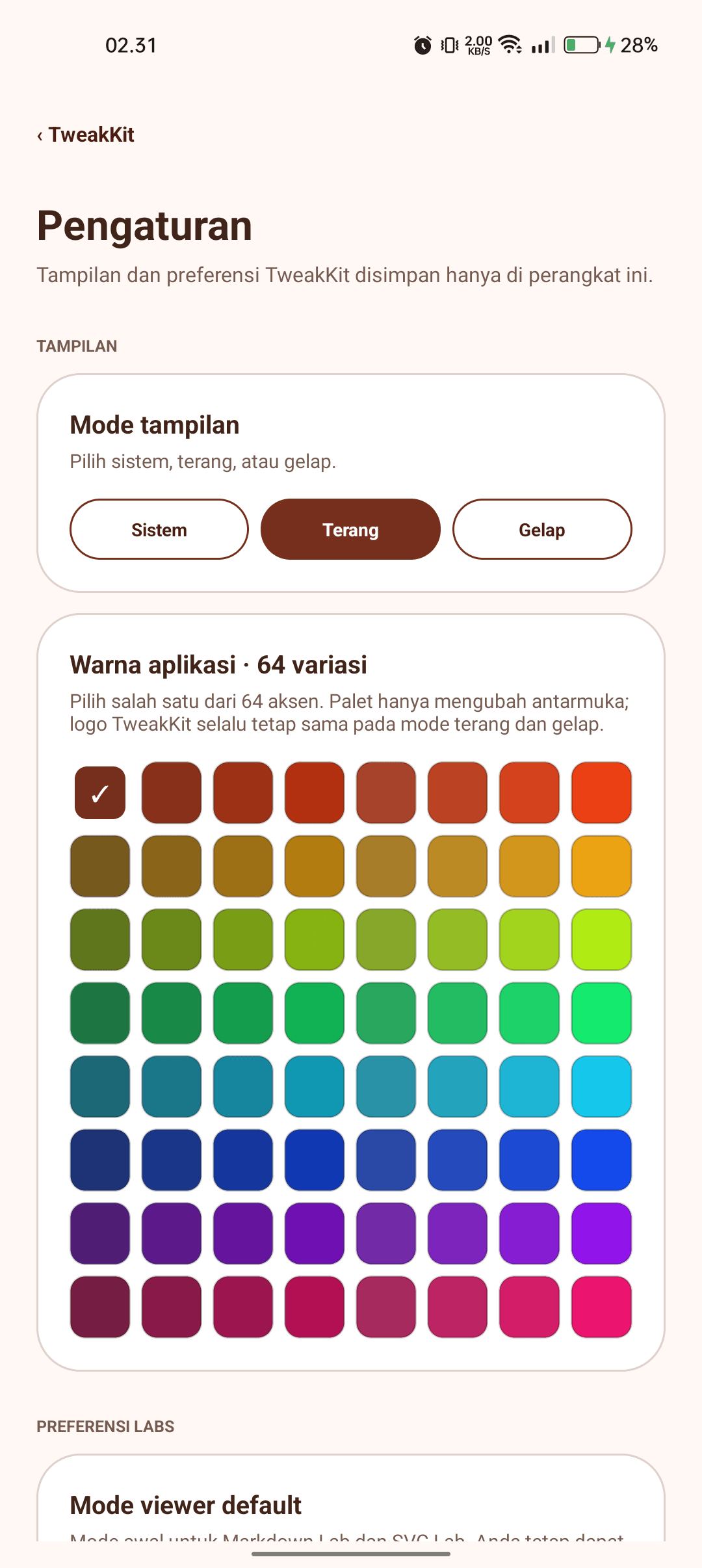
TweakKitPersonalization / local theme and accent settingsSelected visual work
My skills and considerations
What shaped my work
Technology and tools
- Android
- Kotlin
Context / collaboration / learning
What I learned through the project
TweakKit makes compatibility visible: it opens only the Android system activities a device exposes and labels unsupported paths clearly.
The project keeps diagnostics and document work local by default, with public-IP lookup placed behind an explicit user action.
I treated compatibility and privacy as product behavior: the application explains what a device can do, keeps routine work local, and makes the only external lookup a deliberate choice.
Closed testing / feedback
Help shape the next TweakKit release
Send feedback or register your email to join the closed tester list. The form sends your submission directly to the TweakKit team.